Bulk Media Upload for WordPress: Free CSV Plugin for 1,000+ Images

Our free plugin turns a bulk media upload into a five-minute job: one CSV file carries the alt text, captions and titles for 1,000+ WordPress images, and you can download it below.
Download the plugin (free) View the source on GitHub
Uploading a handful of photos through the WordPress media screen is easy. Uploading 500 product photos, each one needing a title, alt text and a caption, is a full day of clicking. Agencies know this pain. Store owners know it. Anyone migrating a photo archive knows it.
Bulk Media Uploader fixes it with one spreadsheet. You list your images and their metadata in a CSV, drop it into the wizard together with a ZIP of the image files, and the plugin runs the whole bulk media upload in batches. A thousand images take a few minutes, and every single one lands in the Media Library with its SEO fields already filled in.
How to run a bulk media upload in 3 steps
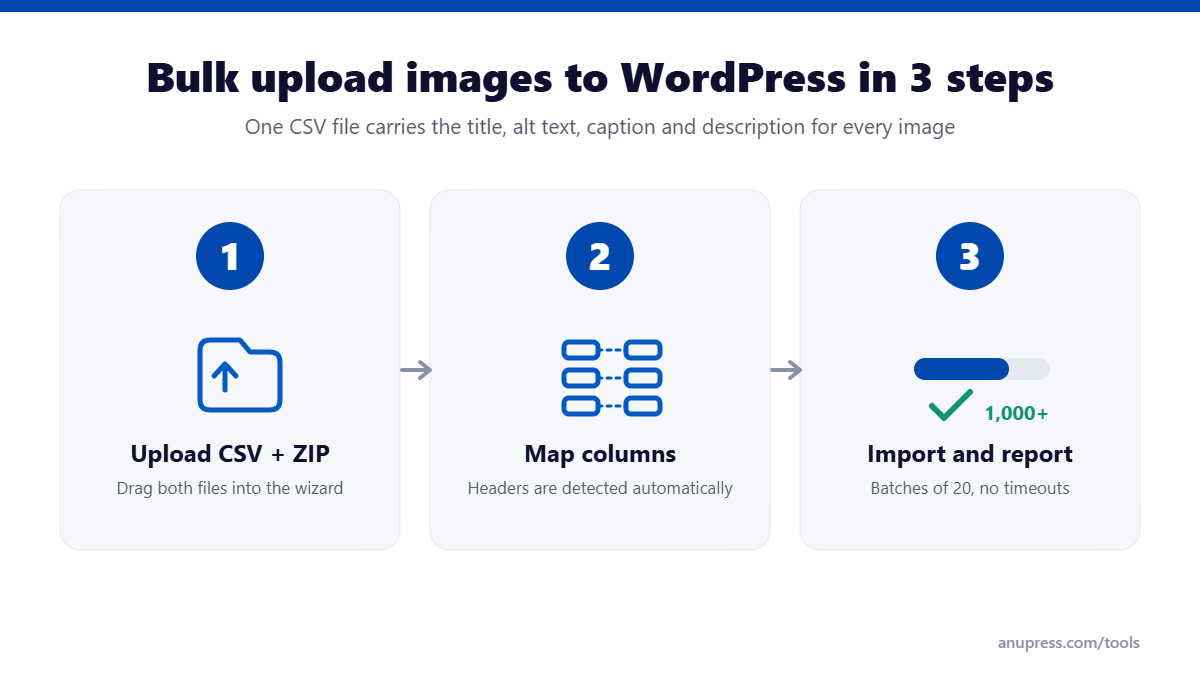
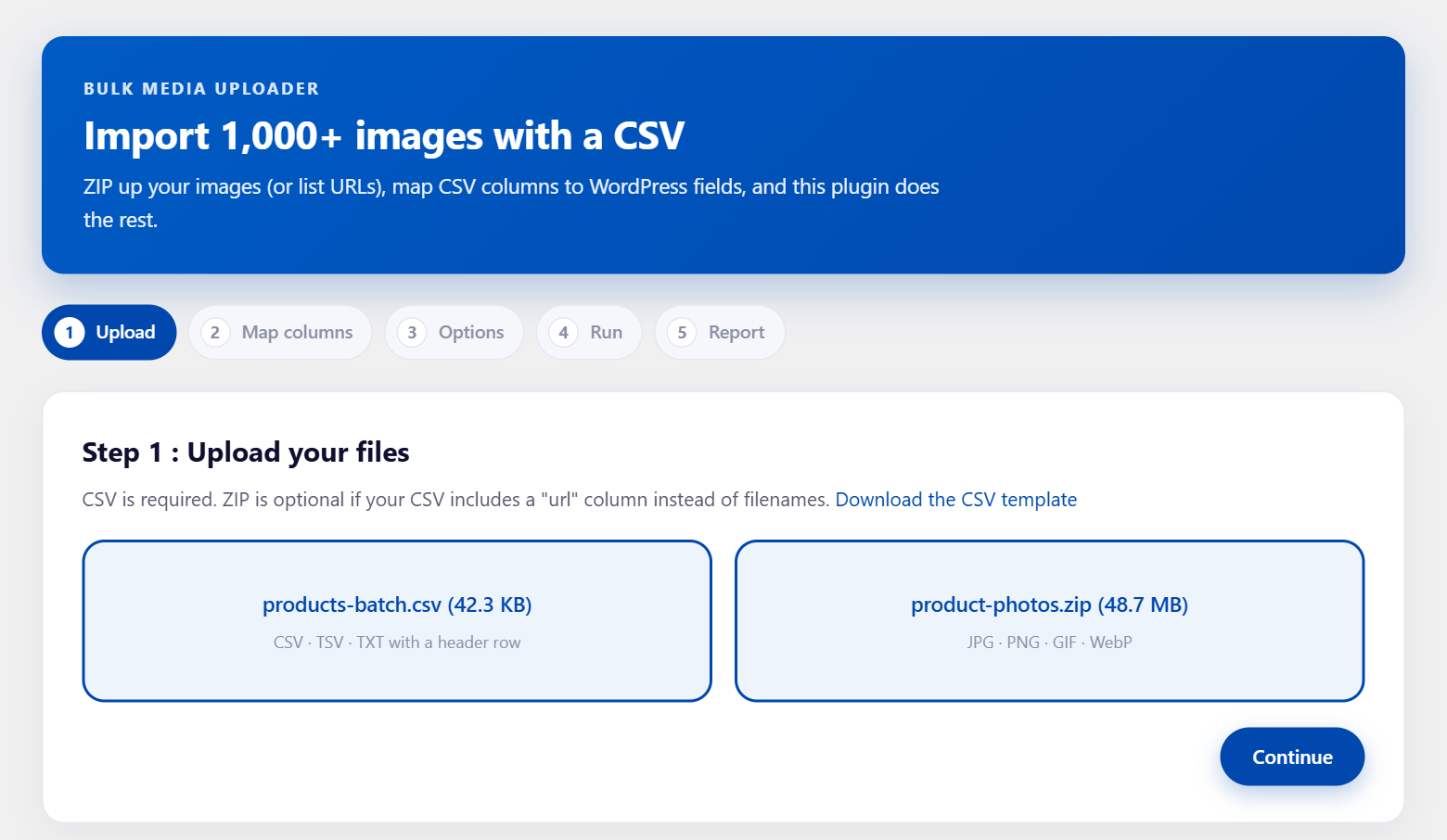
Step 1: Upload your CSV and ZIP
Every bulk media upload starts with two files. Put your images in a ZIP and your metadata in a CSV. The first screen of the wizard has two drop zones, one for each. If your images live on another server, you can skip the ZIP entirely and give the plugin a column of URLs instead.
Step 2: Map your columns
The plugin reads your header row and matches common names like filename, title and alt on its own. If your spreadsheet uses different headers, you pick the right column from a dropdown next to each WordPress field. A preview of your first rows sits right below, so you can check the mapping against real data before anything runs.
Step 3: Run the import and download the report
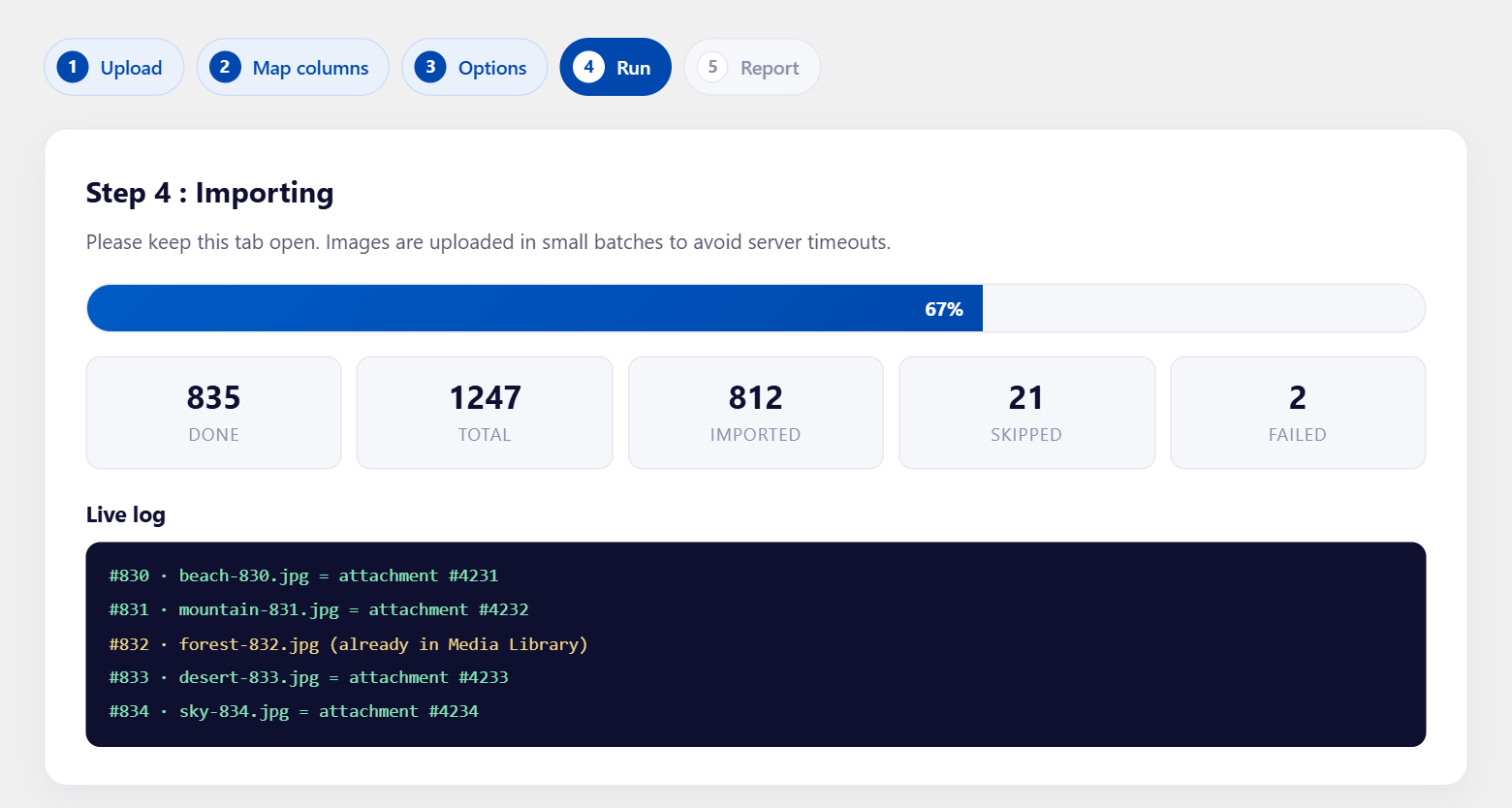
The bulk media upload runs in batches of 20 images per request, which is the trick that lets it survive shared hosting. PHP execution limits never trigger because no single request runs long enough to hit them. You watch a progress bar and a live log, and at the end you get a CSV report listing what was imported, what was skipped and why anything failed.
The CSV format for a bulk media upload
Only one column is required: filename when importing from a ZIP, or url when fetching from the web. Everything else is optional.
| Column | What it sets |
|---|---|
filename | Matches an image inside your ZIP |
url | HTTPS address to fetch the image from |
title | The Media Library title |
alt | Alt text, the field image SEO depends on |
caption | The caption shown under the image |
description | The longer description on the attachment page |
post_id | A post or page ID to attach the image to |
post_slug | Same, but by slug instead of ID |
attach_as | featured or attachment, per row |
A ready-made template ships inside the plugin, with a download link on the first wizard screen. Fill it in with your favourite spreadsheet app, export as CSV, and you are ready to go. Excel users in Europe can relax about semicolons: the parser detects comma, semicolon and tab delimiters automatically.
Who needs a bulk media upload?
A few situations where a spreadsheet beats the media screen every time:
- WooCommerce stores adding a season of product photos, where every image needs the product attached and a featured image set
- Site migrations, where hundreds of images exist on the old server and only a CSV export of their metadata survives
- Photographers and portfolios publishing whole shoots at once
- News and magazine sites that receive image batches from agencies with caption files
- SEO cleanups, where the images exist but the alt text never did
Everything is free, including the parts that usually are not
Most CSV importers for WordPress put their best features behind a Pro version. Remote URL import, featured image assignment and post attachment are the usual suspects. We took the opposite approach: this plugin has no Pro version, no locked buttons and no upgrade banners.
- Remote URL import with a safety allowlist, so the plugin only fetches from hosts you approve
- Featured images in bulk: map a post ID or slug and mark rows as
featured - Automatic alt text when a cell is empty, built from the title or the filename
- SEO filenames: an option to rename each file to a clean slug of its title before upload
- Duplicate skipping, so re-running a bulk media upload never creates copies
Why alt text at scale is worth the effort
Alt text is the strongest signal Google Images reads, and it is also what screen readers announce to visually impaired visitors. On a site with 40 images, you can write it by hand. On a site with 4,000, nobody does, and the images simply never rank. Putting alt text in a spreadsheet column turns a chore into a fill-down operation, which is exactly why we made it a first-class part of the bulk media upload.
If you are preparing images anyway, two of our other free tools fit the same workflow: the WebP converter shrinks your JPG and PNG files before they ever reach your server, and the meta tag generator builds the Open Graph tags that decide which image shows when a page is shared. You can also check how your pages will look in results with the SERP snippet preview.
Security, since a bulk media upload touches your uploads folder
A few concrete facts rather than promises. Every endpoint checks the WordPress upload_files capability and a nonce. Remote fetches go through wp_safe_remote_get, which refuses private and internal network addresses, and they only work for hosts an administrator has allowlisted. Uploaded files pass the same MIME checks as a normal media upload, restricted to JPG, PNG, GIF and WebP. ZIP extraction rejects path traversal and junk files. Temporary files are deleted when the job finishes, with a daily cleanup as a backstop.
Open source, GPL, and yours to inspect
The full source code is on GitHub under the GPL-2.0 license, the same license WordPress itself uses. You can read every line of the bulk media upload code before installing it, open an issue if something misbehaves, or send a pull request if you want a feature. The plugin was built by the team behind Anupress Tools, our collection of free calculators and generators for site owners.
Frequently asked questions
Is there a size limit to a bulk media upload?
The batch design means the job size is limited by your patience, not your server. Users have no problem with 5,000-image jobs. Keep the browser tab open until the progress bar finishes.
Does it work with WooCommerce product images?
Yes. Products are posts, so put the product ID in the post_id column and set attach_as to featured to assign the main product image.
Can it bulk upload images to WordPress with alt text?
Yes, from the alt column of your CSV. When a cell is empty, the plugin can generate alt text from the title or filename automatically.
What happens if the same filename already exists?
With duplicate skipping on, the row is skipped and noted in the report. Nothing is overwritten.
Does the plugin phone home or collect data?
No. It makes no requests to our servers or anyone else's, except the image URLs you explicitly put in your own CSV.
What does it cost?
Nothing. It is GPL open source with every feature included. There is no Pro version.