These free PDF tools run entirely in your browser. Your files are never uploaded, because nothing here has a server to upload them to. The processing happens on your own device, which is why there are no task limits, no file size tiers, no accounts, and no watermarks. Load the page once and the tools even work offline.
Free PDF Tools: Fast, Private, No Upload Ever
We built these on the same principle as the rest of the ANUPRESS toolbox: if your computer can do the work, it should, and your data should stay where it already is.
Use any PDF tool right here
Pick a tab, drop in a file, and go. Each of these free PDF tools also has its own page with a full guide, every option explained, and honest notes about the limits, all linked below.
Each PDF tool, and what it is for
Merge PDF. Combine any number of PDFs into one file. Drag to set the order, name the output, save. The most-used tool in the set.
Edit PDF. Fill forms, sign, add text and checkmarks, cover content and draw — on every page, in a full-screen editor where all pages scroll in one column. Everything is placed on top of the page and flattened into a normal PDF when you save.
Compress PDF. Shrink a scan or photo-heavy document by 80–95% without touching the text — images inside the file are recompressed, everything else is left as it was. Three levels, and a live preview shows the exact quality and measured size before you commit.
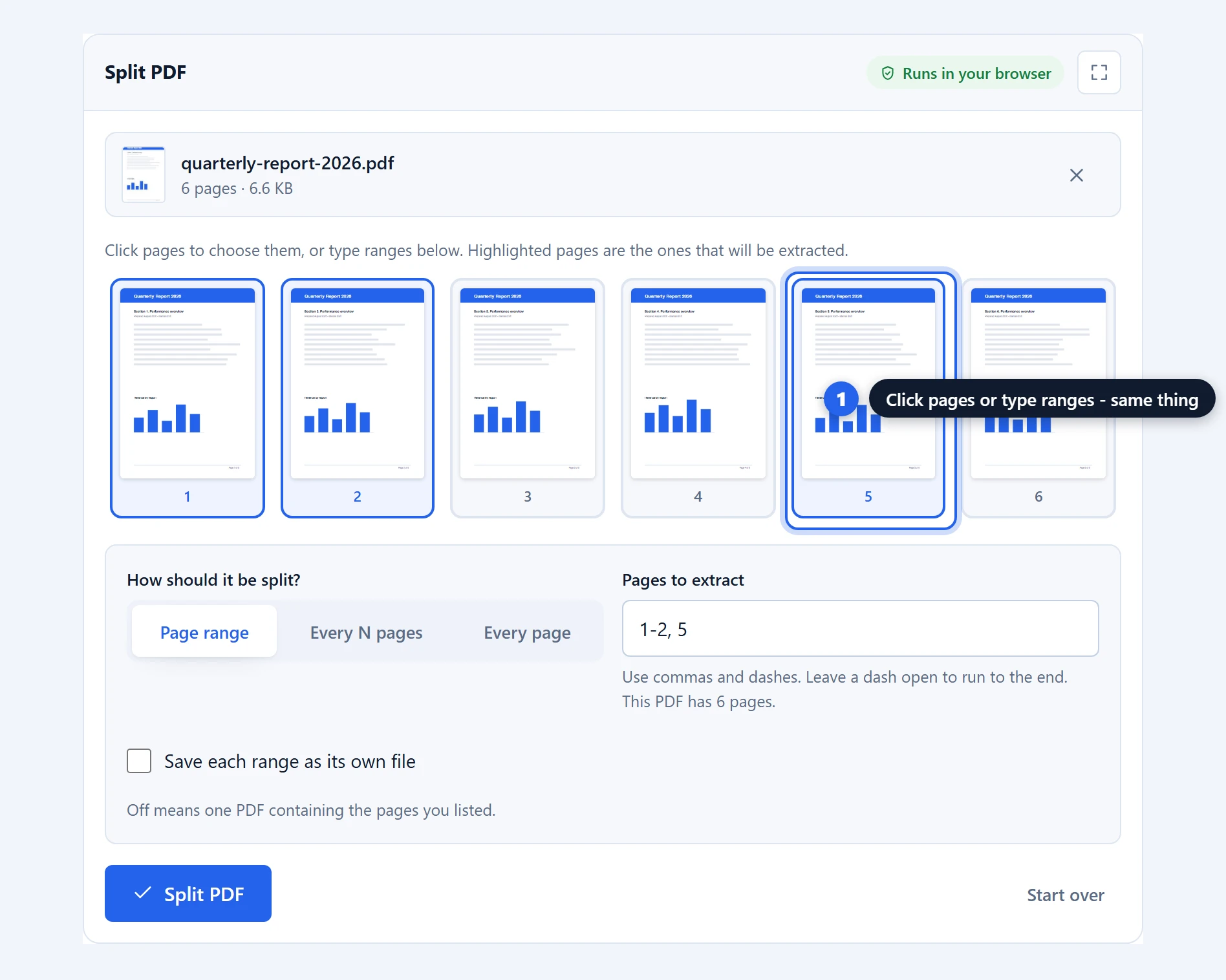
Split PDF. Pull out a page range, break a file into equal chunks, or save every page separately. Click page thumbnails to pick them, or type ranges like “1-3, 7”.
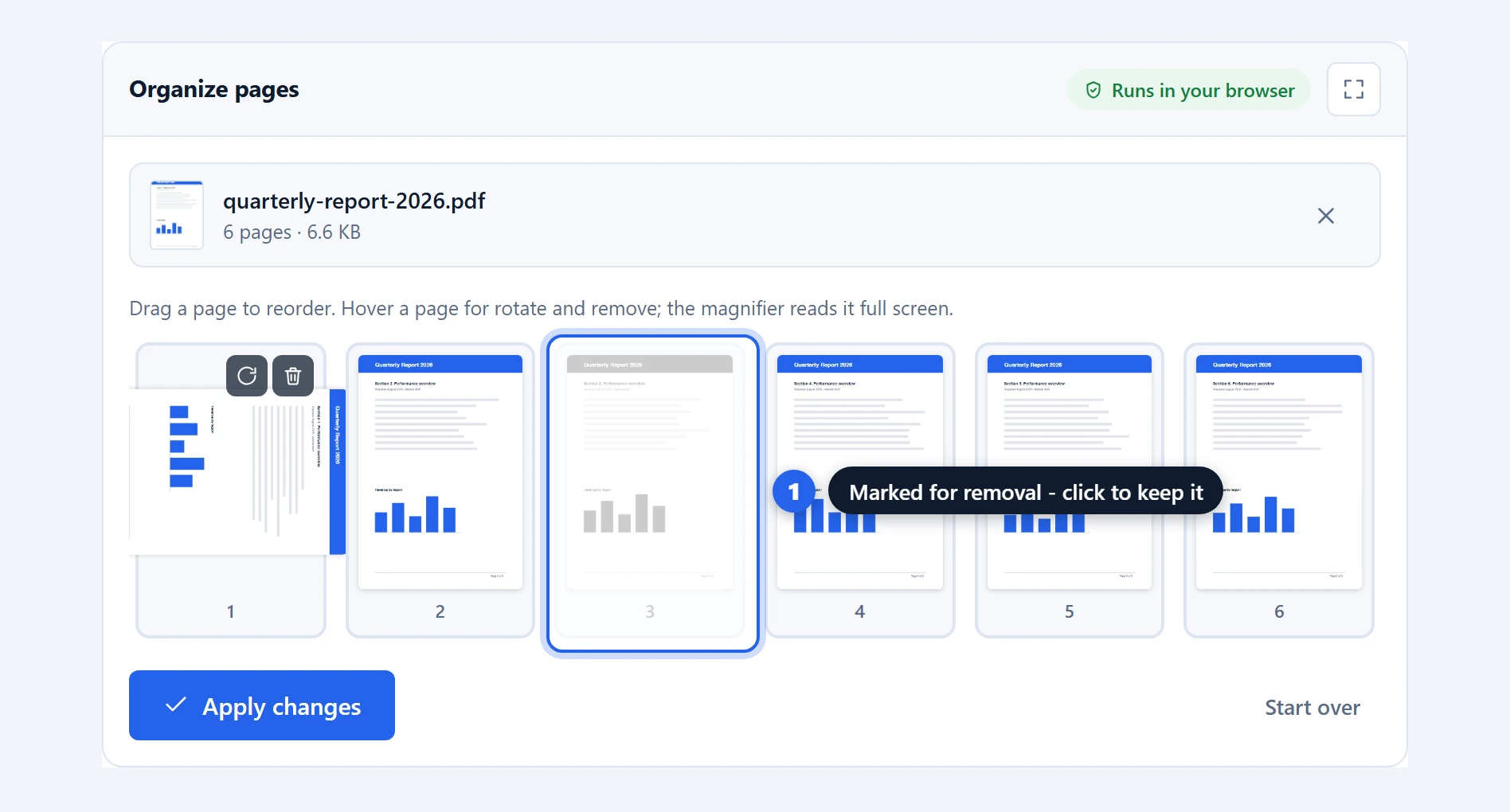
Organize pages. Every page as a thumbnail. Delete the ones you don’t want, rotate the sideways ones, drag pages into a new order, and save a cleaned-up copy.
Rotate PDF. Turn every page, or only the pages you name, a quarter turn at a time, with a live preview of the result.
Sign PDF. The signing view opens every page at full size. Draw your signature or type it, place it exactly on the line, add the date, and it is flattened into the document rather than left as a movable annotation.
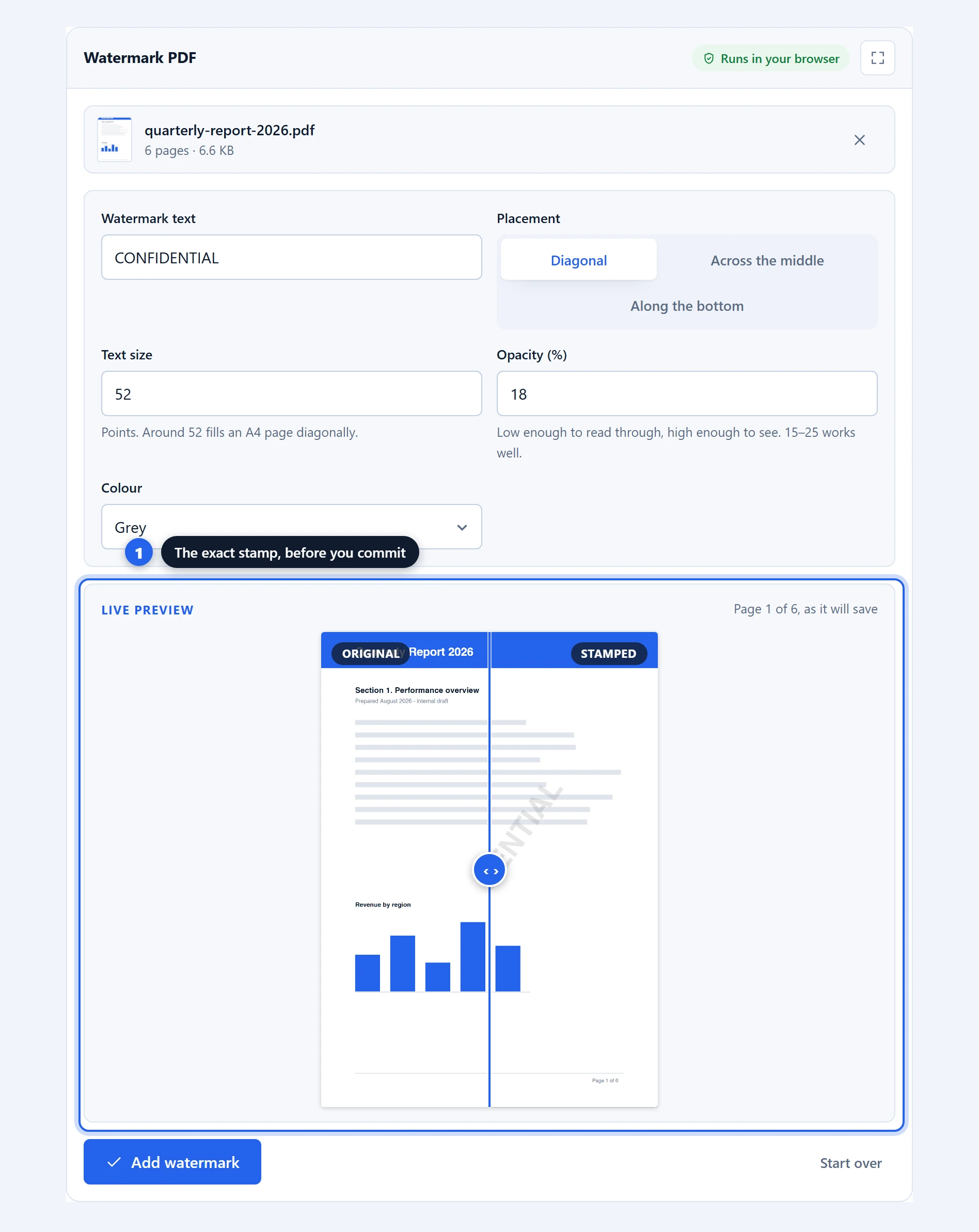
Watermark PDF. Stamp DRAFT, CONFIDENTIAL, a name — or your logo — across every page. Nine placements from a corner-to-corner diagonal to a tiled repeat, with a live preview before you commit.
Add page numbers. Six positions, five formats, your choice of typeface and colour, and the option to leave a cover page blank. The preview flips through every page.
Images to PDF. JPG, PNG and WebP photos into one PDF: one image per page, or arranged freely on sheets you lay out yourself, several to a page. Crop a photo first if the desk it was lying on came along with it.
PDF to images. Each page becomes a JPG, PNG or WebP at the resolution you choose, from quick 72 DPI thumbnails to 600 DPI archival scans.
PDF to text. Every word as a plain .txt file — scanned pages included, read by OCR running on your own device in the language you pick.
How a PDF tool works without a server
A PDF is just a file, and your browser is a far more capable program than it gets credit for. These tools use two open-source engines that run as JavaScript in the page: pdf-lib writes PDF files, and PDF.js, the engine inside Firefox’s own viewer, reads and draws them. When you drop a file in, the browser reads it into memory, the engine does its work right there, and the result is handed back to you as a download or a save dialog.
The claim is easy to test, and we would encourage testing it on any tool that handles your documents, including ours. Open your browser’s network tab while using any tool here and watch nothing be transmitted. Or load the page, switch your device to airplane mode, and keep working. A tool that uploaded your files could not do that.
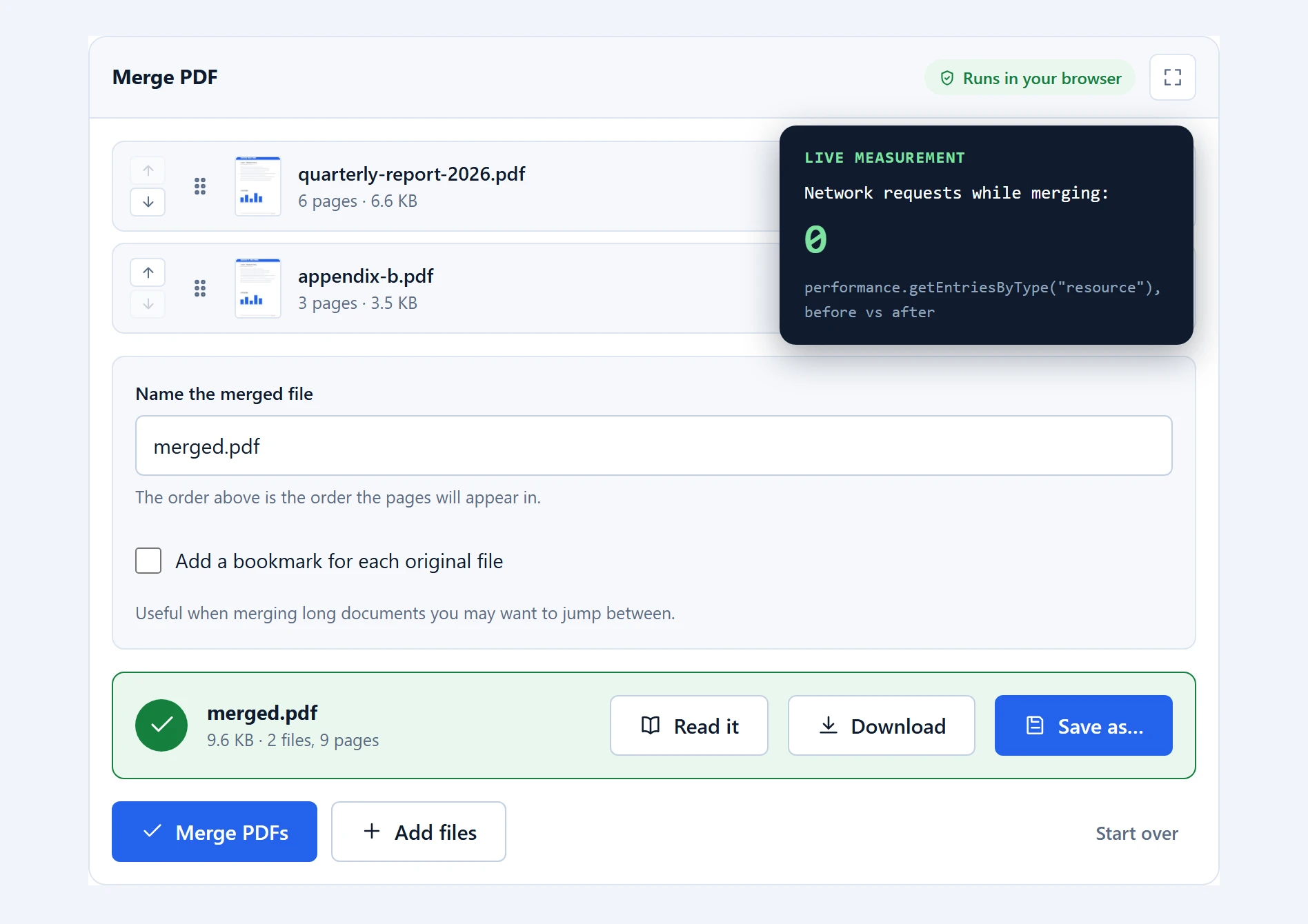
The first visit does download the engines themselves, once, the way any page downloads its images. After that they are cached by your browser. Code comes down to you; your files never go up.
Why we built these free PDF tools this way
Plenty of PDF sites work well, and if you already pay for one, keep using it. Our issue was never quality. It was that the standard model puts an upload, an account wall, and an hourly quota between you and a thirty-second task, and it asks you to trust a stranger’s server with documents that are sometimes contracts, payslips or medical records.
Running everything on your device removes the trust question instead of answering it. It also removes our costs, which is why nothing here is metered. There is no premium tier hiding behind the third task of the day.
What these PDF tools will not do
An honest tools page should say this part out loud.
There is no PDF to Word converter here, because faithful conversion needs layout reconstruction that browser engines cannot yet do well, and a bad converter wastes more of your time than a missing one. The editor does not rewrite the text already inside a PDF either: everything it places goes on top of the page, which is honest about what overlay editing can do and can never corrupt the document underneath. And covering content is not redaction — a white, black or blurred cover hides text from view while leaving it inside the file, which every overlay editor does and few admit.
Phones can run every tool here, with one caveat: very large files can exceed what a mobile browser is allowed to hold in memory, so the tools warn you before starting a job your device may not finish. A desktop browser has no such ceiling worth worrying about.
Frequently asked questions
Are these PDF tools really free?
Yes — these are completely free PDF tools: no task limits, no file size tiers, no accounts, no watermarks on the output. Your device does the processing, so there is nothing for us to meter and charge for.
Are my files uploaded to a server?
No. Files are read by your browser and processed on your own device. You can verify this yourself: open the browser’s network tab while working, or switch to airplane mode after the page loads and keep using the tools offline.
Is it safe to use these tools with confidential documents?
The files never leave your device, which removes the main risk of online PDF tools. There is no upload, so there is no retention window, no third-party processor, and nothing on a server for anyone to access later.
Do the PDF tools work offline?
Yes. After the first visit the engines are cached by your browser, and every tool keeps working with no internet connection at all.
Is there a limit on file size or number of pages?
No fixed limit. The practical ceiling is your device’s memory. A desktop browser handles hundreds of pages without complaint; a phone will warn you before attempting something too large for it.
Can I sign a PDF with these tools?
Yes. The Sign PDF tool lets you draw a signature with your mouse or finger, type your name, or upload an image of your signature. You click the page to place it, and it is flattened into the document rather than added as an annotation, so it cannot be dragged away in another PDF reader.
Which browsers are supported?
Any modern browser. Chrome and Edge additionally let you choose exactly where to save your results; Firefox and Safari place them in your downloads folder instead, because those browsers do not yet support the save picker.
Will there be more PDF tools?
Yes, and the existing ones keep growing. The newest additions are OCR in the text extractor, so scans read properly, and a crop step in Images to PDF, so a photographed document loses the table it was lying on. Everything is built on the same no-upload principle, and new tools appear on this page as they are finished.
More free tools that stay on your device
They join the free calculators and converters already on ANUPRESS, all built the same way: nothing to install, nothing to sign up for, and nothing sent anywhere. If you are working with numbers rather than documents, the main tools page is the place to start.