Online banks vs traditional banks: which wins in 2026?
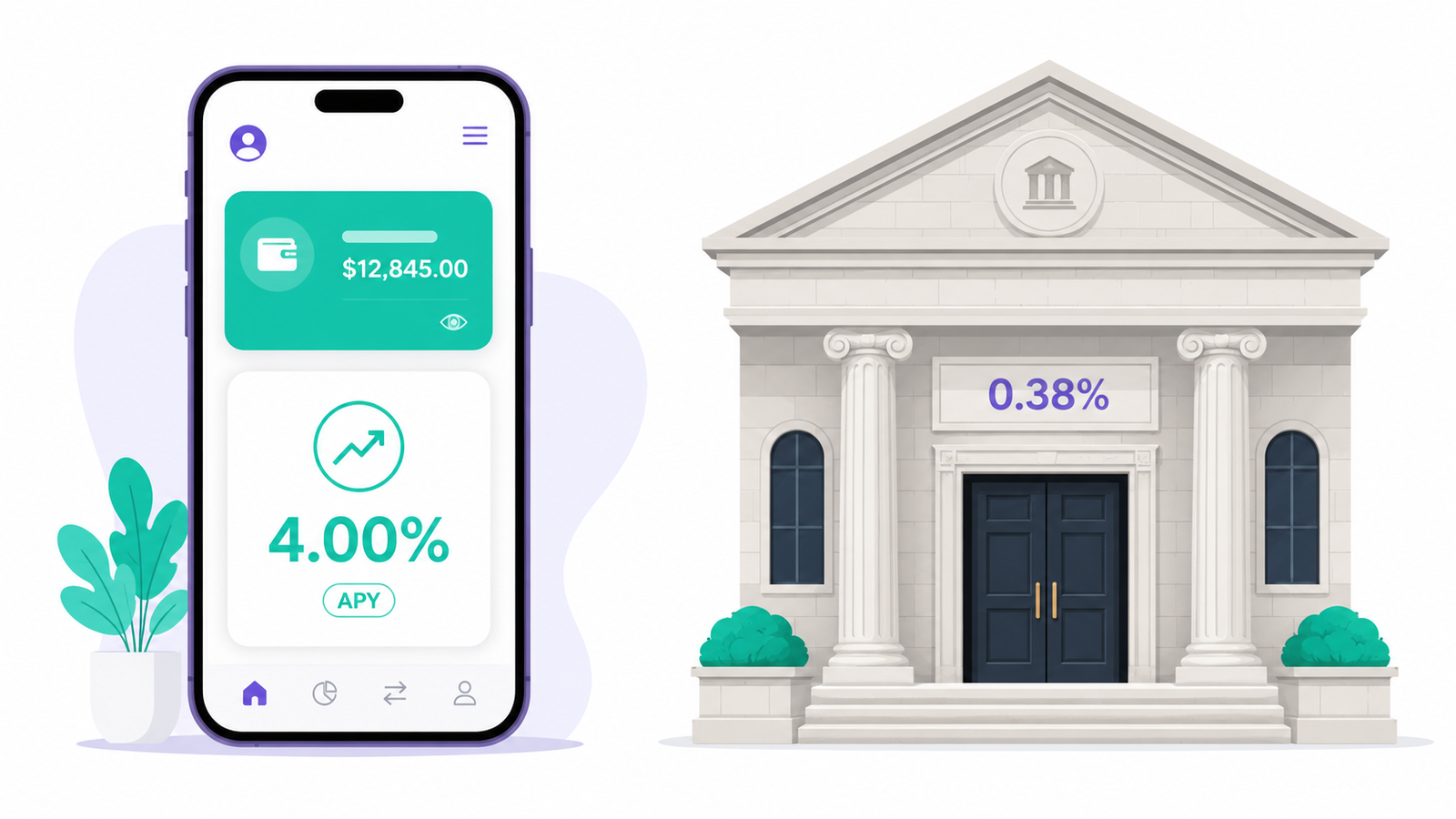
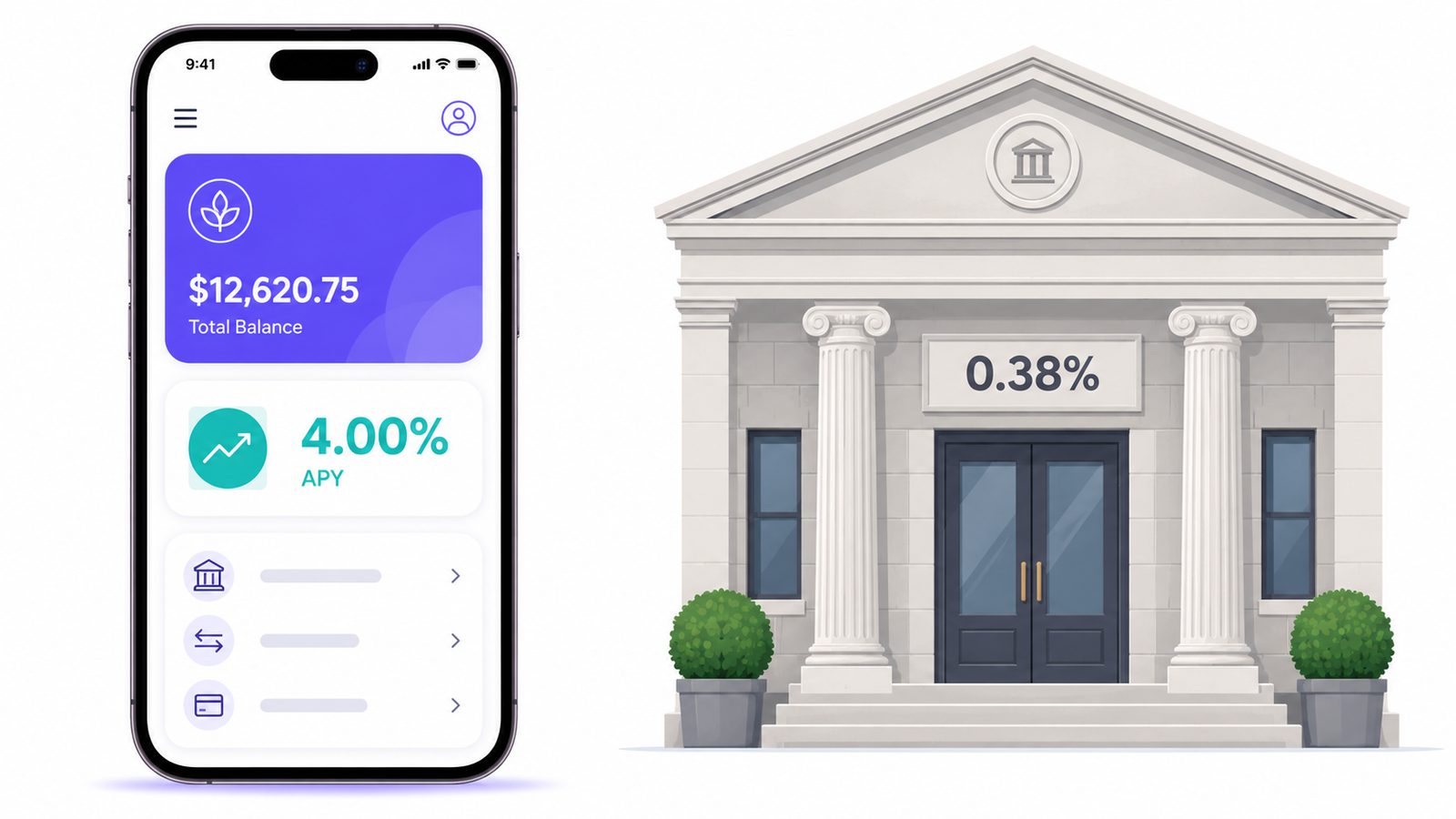
The average American savings account pays 0.38% right now. Good online banks pay around 4%. Same dollar, same federal insurance, roughly ten times the interest. And yet traditional banks still hold most of the country’s checking accounts, for reasons that turn out to be partly rational. This guide runs the numbers on both, covers the one safety trap most comparisons skip, and ends with the two-account setup that quietly beats picking a side.
The short answer
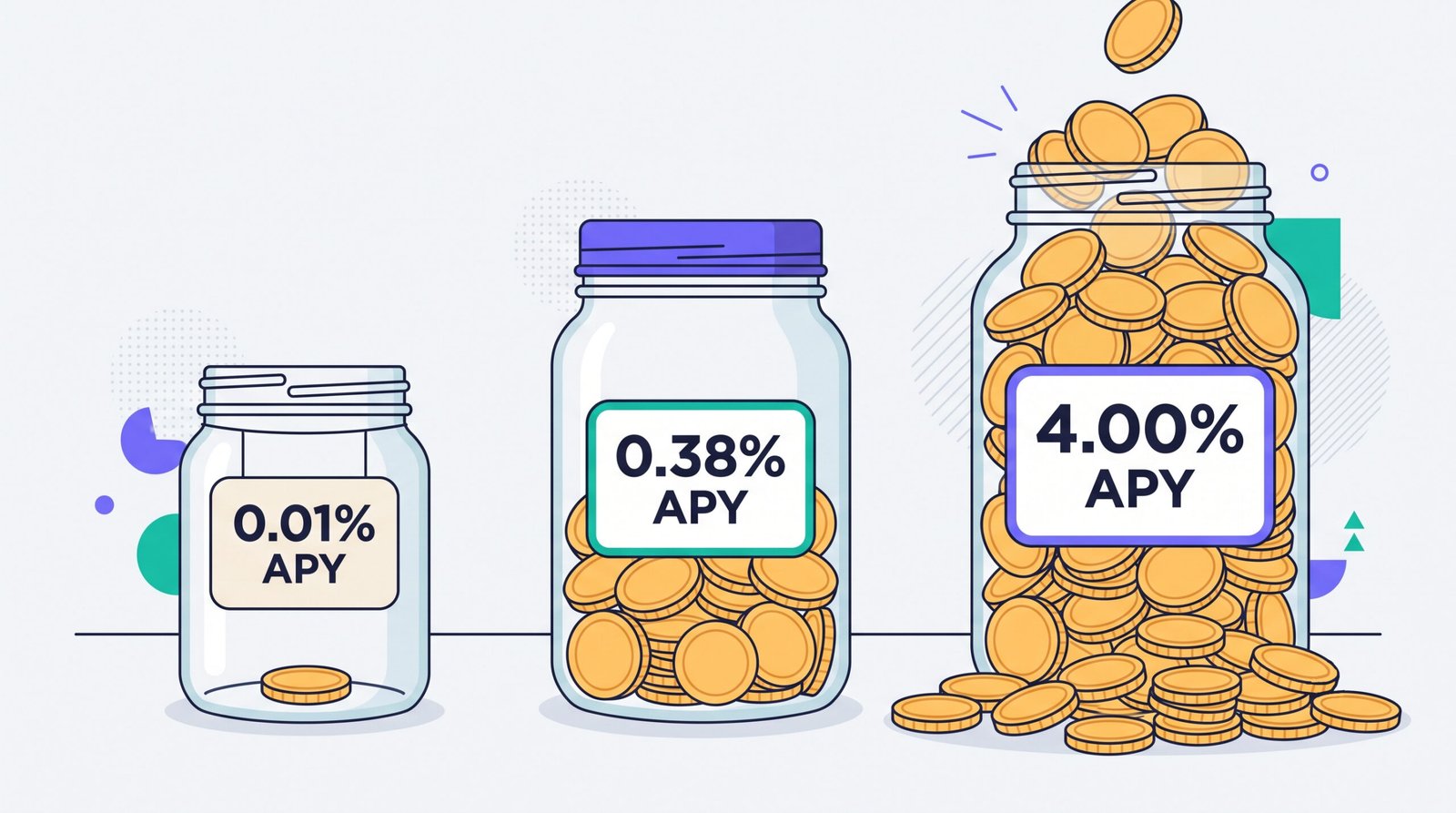
Most comparison articles bury the verdict under 3,000 words of throat-clearing, so here it is up front. On price, online banks win, and it is not close. The FDIC’s national average savings rate sits at 0.38% APY as of June 2026, and three of the biggest banks in the country (Chase, Bank of America and U.S. Bank) pay 0.01% on a standard savings account. Competitive online banks pay around 4%. Nobody defends the 0.01% rate. Not even the banks charging it, which is why they don’t advertise it.
Traditional banks win almost everything that involves a physical object or a hard conversation: cash deposits, cashier’s checks, a notary, a person at a desk when your account gets frozen the week rent is due. They also still dominate mortgages and business lending.
So “which wins in 2026” has a boring, useful answer: online banks win the money math, traditional banks win the edge cases, and the setup that beats both is using each for what it’s good at. Roughly 20 minutes of setup, several hundred dollars a year for a typical saver. The rest of this guide proves it with numbers.
Rates
Online banks, by a factor of ten. 0.38% average vs around 4% at the good online banks.
Everyday fees
Online banks. No maintenance fees, no minimums, usually no overdraft fee either.
Cash & hard cases
Traditional banks. Cash deposits, cashier’s checks, notaries and a human when it counts.
Overall
A hybrid of the two. Checking at a branch bank or credit union, savings online. Details below.
What “online bank” actually means (and what it doesn’t)
Before comparing anything, one distinction that most articles blur and that will matter a lot in the safety section: the phrase “online bank” gets used for three different things, and only two of them are banks.
1. Chartered online banks
Ally, Marcus by Goldman Sachs, Discover, Synchrony, Capital One 360. These are real banks with their own FDIC membership that decided branches weren’t worth the rent. Your deposit sits at the institution whose name is on the app, insured directly. When this article says “online bank,” this is the default meaning.
2. Neobanks and fintech apps
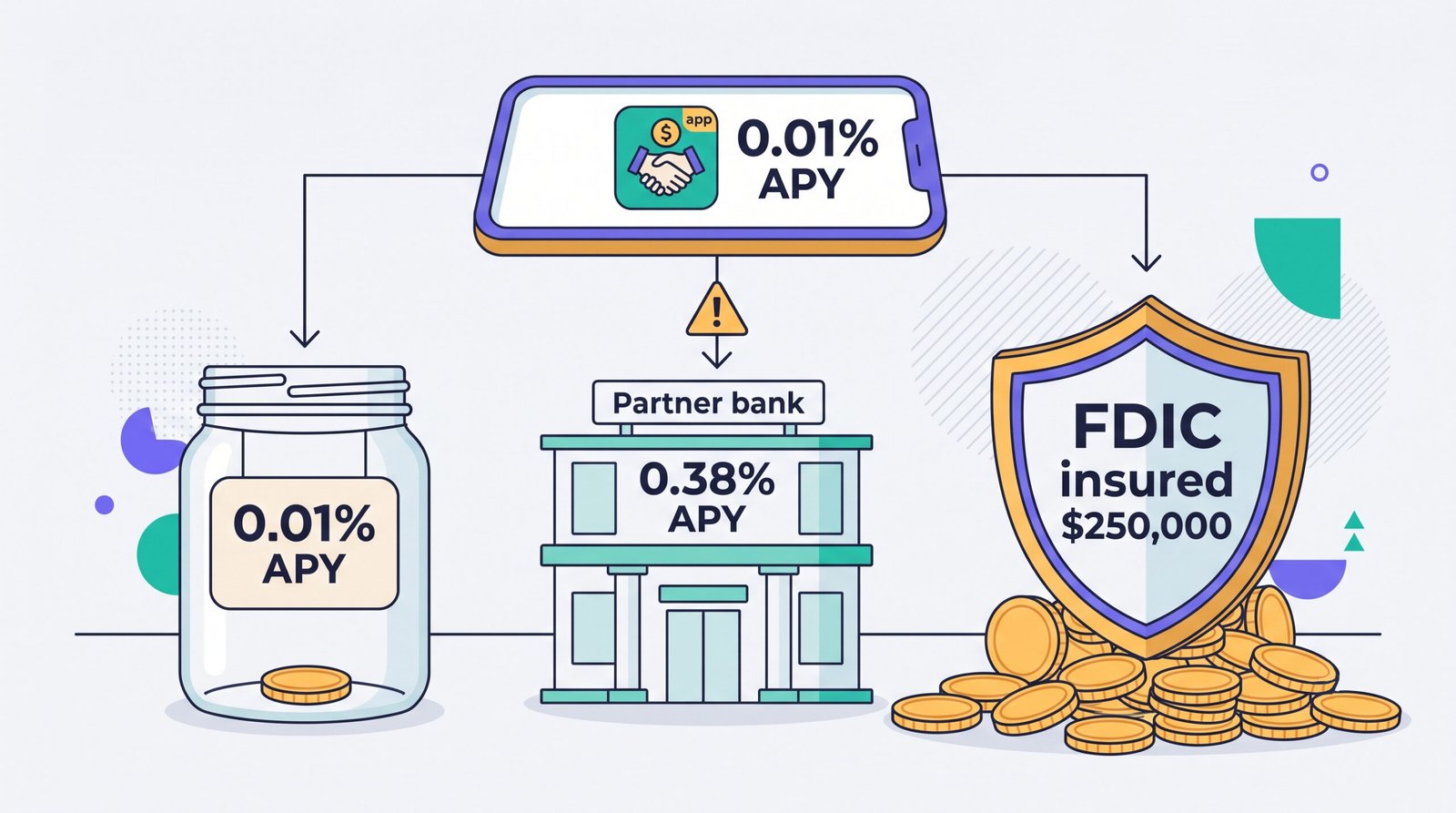
Chime, Current and dozens of smaller apps. These are technology companies, not banks. Your money is routed to one or more partner banks behind the scenes, and the FDIC protection you’re counting on is “pass-through” insurance that depends on accurate record keeping between the app and the bank. That usually works. In 2024 it famously didn’t, and we’ll get to that.
3. Online arms of traditional banks
Openbank by Santander, Marcus in its early days, various “digital only” brands from regional banks. Big institutions quietly competing with their own branch networks, usually to attract deposits with rates their branch customers don’t get. Perfectly legitimate, occasionally excellent, and a small tell about how the industry sees its own pricing.
Traditional banks need less explaining: Chase, Bank of America, Wells Fargo, your regional bank, your credit union. Branches, tellers, the full product shelf, and in 2026, apps that are honestly pretty good. The difference is no longer whether a bank is digital. Every bank is digital now. The difference is what they pay you and what they charge you.
Traditional banks in 2026: fewer branches, better apps, same rates
The branch network is shrinking, but slower than the headlines suggest. The National Community Reinvestment Coalition counted 86,469 US bank branches in 2017 and 73,649 by late 2025, a 14.8% contraction over eight years. The pace has settled at roughly 50 net closures a month, down sharply from the pandemic years when banks were shedding around 200 a month. Chase, for what it’s worth, opened 160 new branches in 2025 even while closing others. Branches aren’t dying. They’re being rationed.
And people still use them. 83% of Americans visit a branch at least once a year. Here’s the stat that surprised me: a Rivel Banking Research study found Gen Z visits a branch about 3.6 times a year, barely behind baby boomers at 4.6. The generation that grew up on apps still walks into a bank when something matters.
What has genuinely changed is the software. Ten years ago, “online banks have better apps” was a real argument. In 2026 the apps from the largest banks are fast, full-featured and often indistinguishable from the fintech ones. What hasn’t changed is the pricing. The megabanks modernized the interface and kept the 0.01% savings rate underneath it, which tells you the old rates were never a technology problem.
Interest rates: the gap nobody defends
This is the section that moves real money, so let’s be concrete. As of June 2026, per FDIC data:
- National average savings rate: 0.38% APY
- Standard savings at Chase, Bank of America and U.S. Bank: 0.01% APY
- Competitive online banks: around 4% APY, with a few promotional accounts above that
Put $10,000 in each for a year. The 0.01% account earns you one dollar. The average account earns $38. The online account earns roughly $400. Same money, same federal insurance, and the difference buys a plane ticket. Over five years, with compounding, the gap on that one balance passes $2,000.
The Federal Reserve held its target range at 3.50% to 3.75% through the first half of 2026, which means the gap is stable, not a fluke of one weird month. Rates drift, so check a live tracker like Bankrate’s average savings rate survey before you move money, but the shape of the market hasn’t changed in years: online banks pay several times the average, megabanks pay approximately nothing.
Why the gap exists is not a mystery. A branch network costs billions to run, and the biggest banks don’t need to compete for your deposit because inertia delivers it for free. Online banks have no branches to feed and have to buy their customers with rates. You are the beneficiary of their marketing budget, which is a rare position to be in.
Fees: the quiet $200 a year
Rates are the loud difference. Fees are the quiet one, and they land hardest on the people with the least room to absorb them.
A basic checking account at a big traditional bank commonly carries a $10 to $15 monthly maintenance fee, waived if you keep a minimum balance or receive qualifying direct deposits. Plenty of customers meet the conditions and never pay it. The ones who don’t (students, gig workers, anyone whose income arrives irregularly) pay $120 to $180 a year for the privilege of storing their own money. Add an out-of-network ATM fee here, a paper statement fee there, an overdraft or two that big banks have trimmed to $10 or so but mostly not killed, and $200 a year is an ordinary outcome, not a horror story.
Online banks stripped most of this out. No maintenance fees, no minimums, usually no overdraft fee, and often ATM fee refunds through partner networks. Foreign transactions are another gap worth knowing about: traditional banks commonly add 1% to 3% on purchases abroad, while several online banks charge nothing, which adds up fast on a two-week trip.
Two honest caveats, because online banks are not saints. Instant transfers to external accounts sometimes carry a fee where the slow version is free. And wire transfers, when an online bank offers them at all, cost about the same everywhere. The fee advantage is real, but it lives in the everyday stuff, not the exotic stuff.
Safety and FDIC insurance: read this section even if you skim the rest
Start with the reassuring part. Deposits at any FDIC-member bank, online or brick-and-mortar, are insured up to $250,000 per depositor, per bank, per ownership category. Credit unions carry the equivalent through the NCUA. Not one depositor has lost a cent of FDIC-insured money since the insurance began in 1934, and bank failures are genuinely rare right now: two in 2024, two in 2025, in a country with more than 4,000 banks. A chartered online bank is exactly as safe as the branch bank down the street. The building was never the protection. The insurance was.
Now the part that actually deserves your attention. Remember the distinction between chartered online banks and fintech apps from earlier? In April 2024 a company called Synapse went bankrupt. Almost nobody banking through it had heard its name, because Synapse was middleware: the plumbing that connected dozens of consumer fintech apps to FDIC-insured partner banks. When it collapsed, roughly $85 million in customer money froze, and the court-appointed trustee later reported that somewhere between $65 and $96 million couldn’t be properly accounted for because the ledgers matching customers to funds were a mess. Some people waited more than six months to see their money.
Here’s the uncomfortable detail: FDIC insurance never triggered, because no bank failed. The partner banks were fine. The spreadsheet between the customers and the banks failed, and deposit insurance has no line item for that. The FDIC has since proposed stricter record-keeping rules for banks holding fintech deposits, which helps, but the structural lesson stands.
So the practical safety checklist in 2026 looks like this:
- Find the actual bank. Open the app’s terms and locate the legal name of the FDIC-member institution holding your money. If you can’t find one named clearly, that’s your answer.
- Verify it on the FDIC’s official BankFind tool, which lists every insured institution and its certificate number. Takes two minutes.
- Treat “banking services provided by partner banks” as a flag to read closely, not a dealbreaker. Pass-through insurance is legitimate; you just want to know whose books your name is on.
- Keep serious money (the emergency fund, the house down payment) at an institution that is itself a bank, not at an app that resells one.
Cash, checks and everything an app can’t hold
This is where online banks lose cleanly, and pretending otherwise helps nobody.
Cash deposits are the classic weakness. Some online banks accept cash through retail deposit networks at drugstore and big-box registers, typically for a fee of a few dollars per deposit. A smaller set supports deposit-taking ATMs. And some, including Ally, one of the biggest names in the category, simply don’t take cash at all. If you tend bar, run a market stall, get paid in tips or sell things for cash on weekends, an online-only setup turns every payday into a small logistics problem.
Paper checks stopped being an argument years ago. Mobile check deposit is universal, and photographing a check takes less time than driving to deposit one. Where the branch still earns its keep is the paperwork nobody thinks about until they need it: cashier’s checks for a car or a home closing, notarization, medallion signature guarantees for transferring investment accounts, safe deposit boxes. None of these is a daily need. All of them are urgent when they come up, and an online bank’s answer is usually “we don’t do that.”
My rule of thumb: count how many times you touched physical cash or needed a stamped document in the last twelve months. Zero to two, and you’ll never miss the branch. Monthly, and you shouldn’t go online-only no matter how good the rate looks.
Apps and features: the gap that closed (mostly)
Online banks wrote the modern playbook: instant transaction notifications, one-tap card freeze, savings buckets for separate goals, early direct deposit that lands your paycheck up to two days ahead, virtual card numbers for sketchy online checkouts, spending breakdowns that don’t require a spreadsheet. For years this list was the pitch.
Then the big banks copied it. In 2026, the apps from the largest traditional banks include most of those features and run just as smoothly. The long tail of smaller regional banks is another story; some of those apps still feel like 2016, and if yours is one of them you already know. But “online banks have better software” is now only half true, and shrinking.
Where online banks still lead is speed of account opening (ten minutes with an ID and a Social Security number, versus an appointment or a long form at some branch banks) and a general absence of upsell. Log into a megabank app and you’ll be offered a credit card before you see your balance. Log into most online banks and you’ll see your balance. Small thing. It compounds.
What online banks removed along with the branches: nothing you’d notice on a normal Tuesday, everything you’d notice on a very bad Friday. Which brings us to service.
Customer service: chat is fast until it isn’t
For routine questions, online banks are genuinely quick. In-app chat, decent phone lines at the established names, and problems like “why is this transfer pending” get resolved in minutes. Day to day, most customers of good online banks rate the service higher than what they left behind, and the satisfaction surveys back that up.
The trouble lives in the edge cases. Fraud reviews and account freezes are where chat-first support shows its limits, and complaint boards fill with stories of people locked out of a fintech account for weeks with no human who can escalate. When your account is frozen and rent is due Thursday, “we’ve forwarded this to the relevant team” is not a sentence you want to read. A branch doesn’t guarantee a fix either, but a person at a desk with your ID in their hand can resolve identity problems that a ticket queue can’t.
Two fairness notes. First, quality varies wildly inside both camps: some fintechs run excellent 24/7 support, and some big banks will keep you on hold for 40 minutes to tell you to visit a branch. Second, credit unions quietly beat both categories on service surveys year after year, and almost nobody writes articles about them. If service is your top priority, that’s the direction to look.
Loans, mortgages and the long game
Savings accounts are a commodity. Credit is a relationship, and here traditional institutions still hold most of the cards.
Mortgages, HELOCs, auto loans and especially small-business credit remain the home turf of traditional banks and credit unions. Online lenders exist and sometimes undercut on a plain 30-year mortgage, so it always pays to shop. But relationship pricing is real: existing customers with deposits and history at an institution routinely see rate discounts, faster underwriting and a human who can make a judgment call on a file that’s slightly weird. Online banks mostly don’t want to be in that business. Their model is deposits and simple products at scale, not a loan officer who knows your name.
If a mortgage or a business line of credit sits anywhere in your next few years, keeping (or opening) a relationship at a bank or credit union that actually makes those loans is cheap insurance. It costs you a checking account. It might save you an eighth of a point when it matters, and an eighth of a point on a mortgage is real money for a very long time.
Head-to-head scorecard
Everything above, in one table. Figures reflect typical accounts as of July 2026; individual banks vary, so verify before you move.
| Category | Online banks | Traditional banks | Winner |
|---|---|---|---|
| Savings APY | Around 4% | 0.38% average; 0.01% at several megabanks | Online |
| Monthly fees | Rare | $10–15, waivable with conditions | Online |
| Overdraft | Usually none | Trimmed, mostly not eliminated | Online |
| Foreign transactions | Often free | 1–3% typical | Online |
| Cash deposits | Limited, sometimes impossible | Any branch or ATM | Traditional |
| Cashier’s checks, notary, safe deposit | Mostly unavailable | Standard | Traditional |
| Mobile app | Excellent | Excellent at big banks, uneven elsewhere | Tie |
| Account opening | ~10 minutes online | Fast online, slower in branch | Online |
| Mortgages & business credit | Thin shelf | Full shelf, relationship pricing | Traditional |
| Routine support | Fast chat and phone | Phone, chat and branch | Tie |
| Worst-case support (freezes, fraud) | Ticket queues | A human with your ID in hand | Traditional |
| Deposit insurance | Full FDIC at chartered banks; verify fintechs | Full FDIC / NCUA | Tie, with homework |
Count the rows and online banks “win.” Weigh the rows and it depends entirely on which ones describe your life, which is the honest reason this debate never ends.
Who should pick an online bank
An online bank should be your main move if most of these sound like you:
- You’re sitting on four or five figures of savings earning a megabank rate. This is the single highest-return 20 minutes in personal finance, and it isn’t close.
- You haven’t touched physical cash since sometime last year.
- You travel abroad and are tired of donating 3% of every trip to your card issuer.
- You’re paying a monthly maintenance fee, or performing balance gymnastics to dodge one.
- You want your paycheck a day or two early and your savings split into named buckets without opening five accounts.
Stick to established, chartered online banks for the core accounts. A vetted starting list like Forbes Advisor’s roundup of the best online banks is a reasonable first filter; from there, check the current APY, the ATM arrangement and (always) the FDIC status before you commit. We cover individual banking and finance products in our financial product reviews as we test them.
Who should keep a traditional bank (or credit union)
Keep a branch relationship front and center if any of these apply:
- Cash is part of your income. Tips, market stalls, cash-heavy small businesses. Depositing cash through a drugstore register with a fee attached gets old by the third week.
- A mortgage, HELOC or business loan is on your horizon. Relationship pricing and a loan officer who can exercise judgment are worth a checking account’s worth of loyalty.
- You handle complex situations: estates, trusts, powers of attorney, anything where a notarized document or a medallion guarantee will eventually appear.
- You want the option of sitting across from a human when something goes wrong. Not everyone prices that at zero, and they’re right not to.
And a genuine word for credit unions, the perpetually ignored third option: member-owned, NCUA-insured, consistently near the top of service satisfaction surveys, and often carrying loan rates that embarrass both camps. If one near you has decent mobile deposit, it can play the “traditional” role in the hybrid setup below better than a megabank does.
The setup that beats both: one checking, one high-yield savings
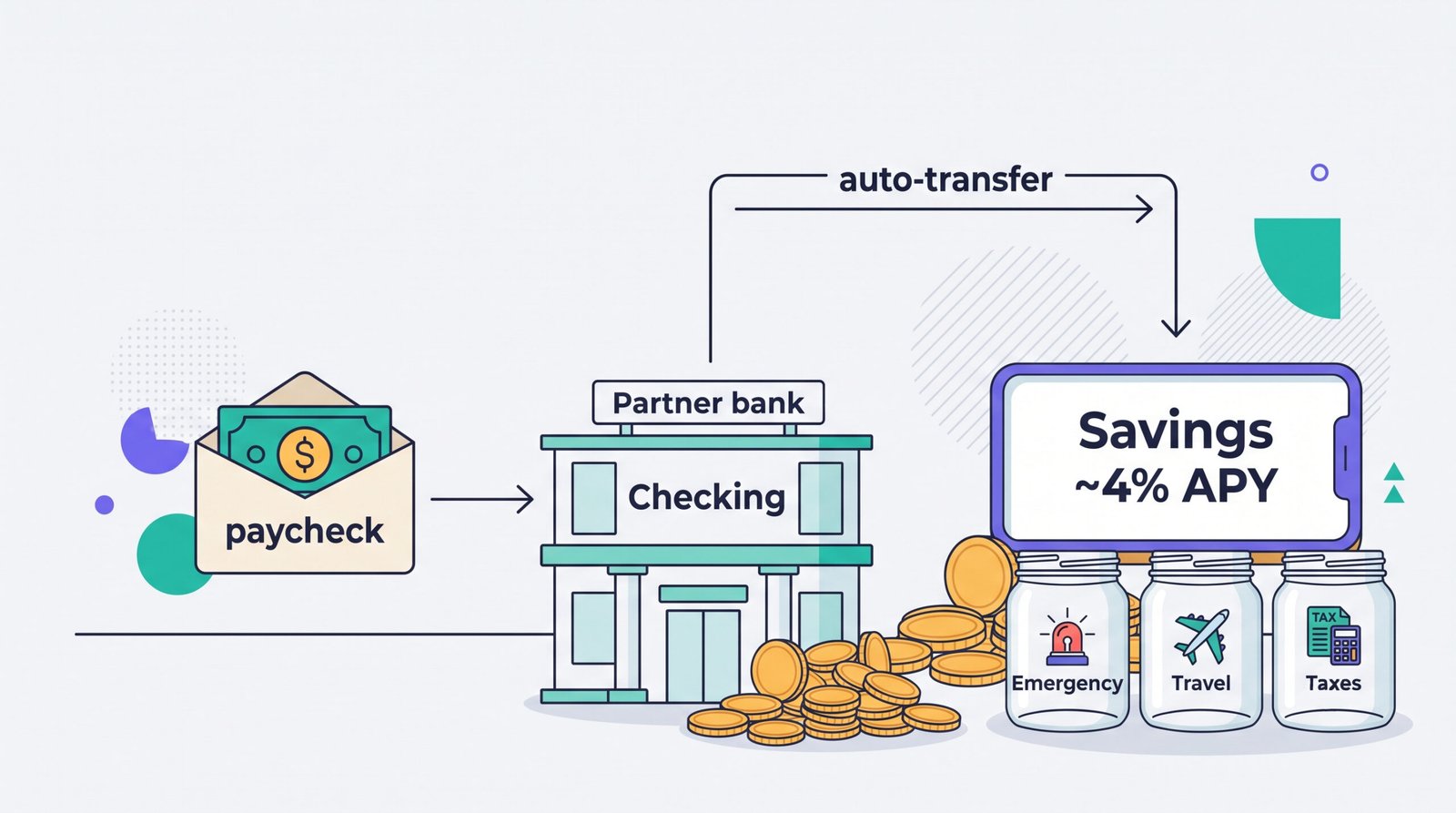
The framing of “online vs traditional” quietly assumes you must choose. You don’t. Accounts are free, opening one takes minutes, and the strongest setup in 2026 is deliberately boring:
- Checking at a traditional bank or credit union. Direct deposit lands here. Bills and cards pull from here. Cash goes in here. The branch exists for the day you need a cashier’s check or a human.
- Savings at a chartered online bank. The emergency fund and every medium-term goal live here, earning around 4% instead of approximately nothing.
- An automatic monthly transfer between them. Payday plus one day, checking to savings, set once and ignored.
The numbers on a plain example: a $15,000 emergency fund earns about $1.50 a year at a 0.01% megabank rate and roughly $600 a year at 4%. That’s a car insurance payment, recovered annually, for holding the same insured dollars in a different account. Transfers between the two take one to two business days, which is fine, because an emergency fund is for emergencies measured in days, not minutes. Keep one month of expenses in checking as the fast layer and the arrangement has no real downside I’ve found.
How to switch without breaking anything
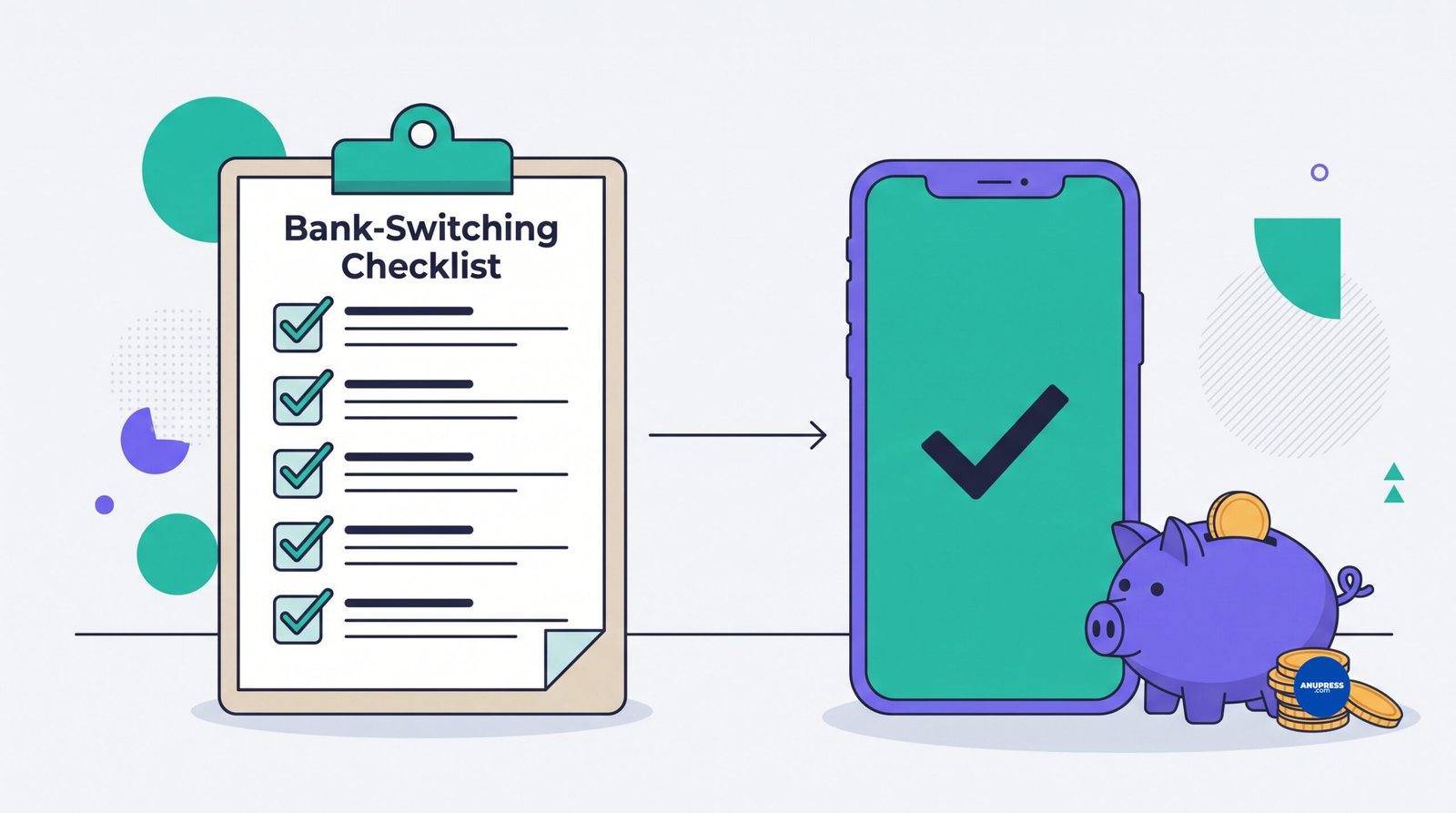
Most switching horror stories come from one mistake: closing the old account too early. Work this list in order and the whole move is uneventful, which is the goal.
- Verify before you open. Find the legal bank name in the account terms and confirm it on the FDIC’s BankFind tool (or the NCUA’s equivalent for credit unions). Two minutes, non-negotiable.
- Open the new account. ID, Social Security number, about ten minutes. Fund it with a small opening transfer.
- Run a test in both directions. Link the old account, send $20 over, send $10 back. Confirm the timing before you depend on it.
- Move your direct deposit. New routing and account numbers to your employer or payer, then wait until one full paycheck actually lands.
- Migrate every autopay. Pull three months of old statements and repoint each recurring charge: utilities, insurance, subscriptions, the gym you forgot about. The forgotten gym is always there.
- Leave the old account open for 60 to 90 days with a small buffer to absorb stragglers. Annual charges are the classic ambush.
- Close it in writing. Drain the balance, request closure through a documented channel, and keep the confirmation. “Dormant” accounts have a way of sprouting fees.
Total effort is an evening, spread over two months of mostly waiting. The payback, for a typical saver moving a real balance, starts in the hundreds of dollars per year and repeats.
Five myths that cost people money
“Online banks aren’t safe.” A chartered online bank carries identical FDIC insurance to any branch bank, and no insured depositor has lost money since 1934. The genuine risk hides one layer up, in fintech apps that aren’t banks, which is a reason to read the fine print, not a reason to accept 0.01%.
“The rate difference is trivial.” On $10,000, it’s $1 versus roughly $400 a year. People who call that trivial usually haven’t done the multiplication on their own balance. Do the multiplication on your own balance.
“I need a branch.” Maybe. 83% of Americans visit one at least once a year, so the pull is real. But ask what you actually did there last time. If the answer is “deposited cash” or “got a cashier’s check,” keep the branch. If the answer is “I can’t remember,” your money is paying rent on a building you don’t use.
“Switching means moving my whole financial life.” The hybrid setup moves nothing but your savings balance. Your checking, direct deposit and bill pay stay exactly where they are. Twenty minutes, one new login.
“Big banks have worse apps, so I’d be downgrading either way.” Not since about 2023. The top banks’ apps are genuinely good now. The thing that didn’t improve is what they pay you, and a polished interface on a 0.01% account is still a 0.01% account.
FAQ
Are online banks safe in 2026?
Yes, when the institution is actually a bank. Chartered online banks like Ally, Marcus, Discover and Capital One 360 carry the same FDIC insurance as any branch bank: $250,000 per depositor, per bank, per ownership category. The caution belongs to fintech apps that route deposits through partner banks; check the terms for the underlying bank’s name and verify it on the FDIC’s BankFind tool before parking serious money there.
How much more interest do online banks really pay?
As of June 2026, the FDIC’s national average savings rate is 0.38% APY, several megabanks pay 0.01%, and competitive online banks pay around 4%. On $10,000 that’s roughly $400 a year online versus $1 at a 0.01% account. Rates move, so check a live tracker before switching, but the gap has held this general shape for years.
Can an online bank be my only bank?
If you never handle cash, don’t need cashier’s checks or notarization, and are comfortable resolving problems by chat or phone, then yes, comfortably. If cash is part of your income or a mortgage or business loan is coming, keep one traditional bank or credit union relationship alongside it. The two aren’t mutually exclusive, and using both is the strongest setup for most people.
How do I deposit cash into an online bank?
It depends on the bank: retail deposit networks at drugstore and big-box registers (usually a few dollars per deposit), a limited set of deposit-taking ATMs, or moving cash through a traditional account first. Some online banks, Ally among them, don’t accept cash at all. If cash shows up in your life monthly, check this before anything else.
What happens if my online bank fails?
If it’s an FDIC-member bank, insured deposits are protected up to $250,000 and access is typically restored within days; the FDIC has a 90-plus-year unbroken record on insured money. The 2024 Synapse collapse was the different case: a fintech middleman failed rather than a bank, insurance never triggered, and customers waited months. That’s the scenario the safety section teaches you to avoid.
Is a fintech app like Chime the same as an online bank?
No. A chartered online bank holds its own FDIC membership; a fintech app is a technology company that parks your money at partner banks, making your protection “pass-through” and dependent on clean record keeping between the two. Plenty of people use fintech apps happily. Just know which kind of company you’re dealing with, because the difference only shows up when something breaks.
Do traditional banks have any advantages left?
Several, and they’re durable: cash handling, cashier’s checks, notaries, safe deposit boxes, a person at a desk for fraud and identity problems, and a full lending shelf with relationship pricing on mortgages and business credit. That’s why the practical answer in 2026 is a hybrid, not a funeral for either side.
Still deciding? Ask us
A bank you’re unsure about, a fee you can’t decode, or a comparison you want covered next: send it over. This guide gets updated from real questions.